


Pandora - Music & Podcasts
3.9852.77K Reviews
App Specs
- Version
- Varies with Device
- Updated On
- License
- Free
- Downloads
- 100,000,000+
- Developer
- Pandora
- Categories
- Music & Audio
- Platform
- Android, iOS
Screenshots
 Analysis by AppCompare
I find Pandora - Music & Podcasts most useful when I want listening to begin with less planning. Rather than spending the first few minutes building a queue, I can start from an artist or song and let a station suggest what fits next. That makes it a natural choice for background music while cooking, working through routine chores, or settling into a commute. It is a music and audio app from Pandora, and its mix of artist-led discovery and podcasts gives it more than one way to fill a listening session.
Discovering Music and Podcasts
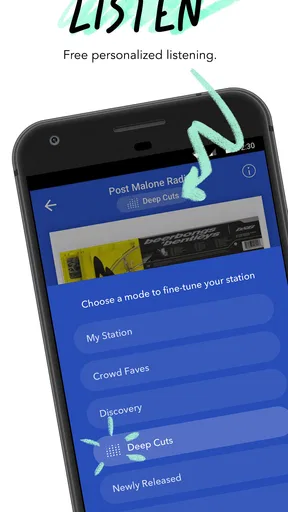
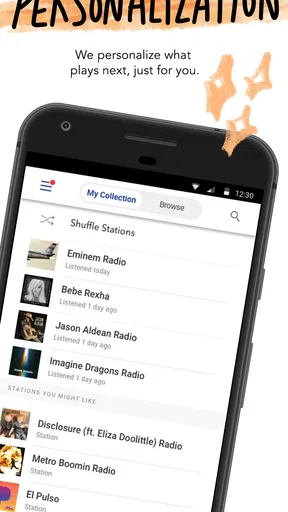
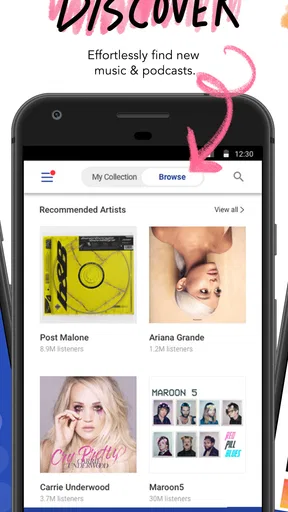
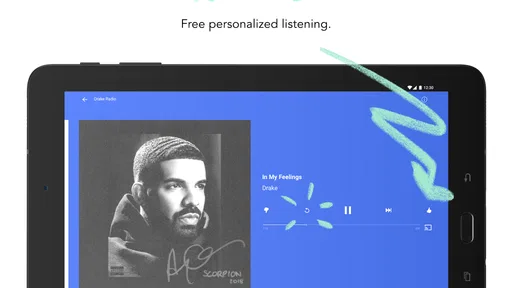
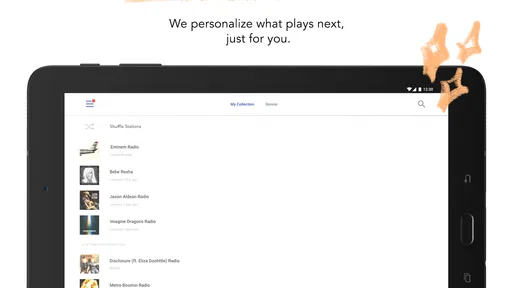
First things first, Pandora is like having a personal DJ who knows your taste better than you do. As soon as you fire up the app, it starts learning your preferences. You can create stations based on your favorite artists, songs, or genres. And, honestly, the recommendations are spot-on most of the time. It’s like the app reads my mind!
That station-first approach is also the main difference I notice compared with music services where I usually begin by searching for an album or assembling a playlist. Pandora works well when I know the mood or starting artist but do not want to choose every track. If I have a specific sequence in mind, a manually curated playlist on another service may suit me better; if I want discovery without much decision-making, Pandora’s stations feel more convenient. I treat its suggestions as a useful starting point, not a guarantee that every selection will match.
Guides and Analysis on Pandora - Music & Podcasts
A small habit that improves the experience is to start stations from artists whose sound I actually want to hear, rather than using a broad mood as the only clue. A station built around a familiar favorite gives me a clearer sense of whether the recommendations are landing. If the mix drifts, I can adjust what I play or choose another starting point instead of assuming one station has to cover every mood. For listening that changes from focused work to a quieter evening, separate starting points are more practical than repeatedly trying to steer one broad mix.
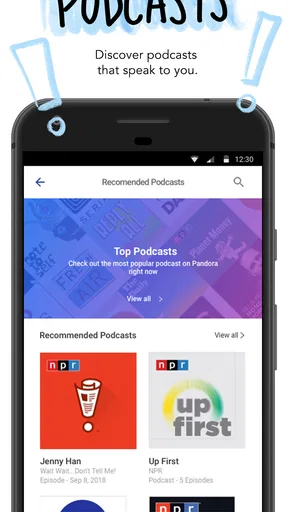
Not only does Pandora excel at music discovery, but it also offers a vast selection of podcasts. From true crime to comedy, there’s something for everyone. I found myself lost in a sea of fascinating episodes. It’s a great way to keep entertained during long commutes or lazy Sunday afternoons.
That mix of music and spoken audio is helpful when my routine changes during the day: a station can suit a short task, while a podcast gives a longer walk or drive a continuous thread to follow. I would still choose a dedicated podcast app if my main priority were carefully managing a large collection of shows and episodes. Pandora’s advantage is that music and podcasts sit within the same listening habit, so I can switch modes without making the whole app about podcasts.
User Experience and Interface
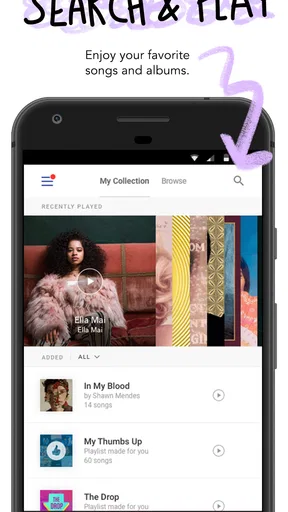
The user interface is sleek and intuitive, making navigation a breeze. Whether you’re an app aficionado or a tech newbie, you’ll find it easy to shuffle through your favorite tracks or discover new podcasts. The design is minimalistic, which I appreciate because it keeps things simple without unnecessary distractions.
Worth Reading Before You Choose

Ludo King Makes the Most of the Minutes Between Plans

Baby Panda World Brings Quick Play to Modern Phones, but Its Game Library Feels Busy

ESPN’s Live Game View Makes Following Close Games Easier

QuizzLand Review: A Good Fit for Short Trivia Breaks, Not Every Player

Basketball Stars: Multiplayer Is Fast, but Can It Recover When Matches Go Wrong?

WEBTOON Turns Phone Updates Into a Better Reading Routine
For readability and navigation, the simplicity is a welcome starting point: the main idea is easy to grasp, and I do not have to think of Pandora as a complicated library-management tool. Still, an uncluttered look does not automatically make every control equally clear to every listener. When I am new to an app, I prefer to take a moment to explore the playback and station options before relying on them while walking or driving. That brief orientation makes it easier to reach for what I need without hunting through screens later.
Motor and sensory needs can change how comfortable any listening app feels. Pandora’s station-based use can reduce repeated searching and tapping once playback is underway, which is helpful when I want to keep interaction light. On the other hand, browsing for a new artist or podcast still asks for deliberate screen attention. I would set up the listening choice before starting a journey, rather than trying to search while moving or doing something that needs my hands and eyes.
For someone who is sensitive to interruptions, the best fit may depend on the listening context. A familiar station can make for calmer background listening than repeatedly switching tracks, while spoken episodes require more sustained attention than music. I also find it sensible to choose content before entering a noisy or distracting setting, since a phone screen is not always easy to focus on in a crowded place. These are practical habits rather than special accessibility guarantees, and they help me judge the app on the experience I can actually control.
One feature I love is the ability to download music and podcasts for offline listening. This comes in handy when I’m on a flight or somewhere with spotty internet connectivity. The sound quality is also top-notch, ensuring you get the best auditory experience possible.
Offline listening can make a real difference when a trip includes a tunnel, a weak-signal stretch, or a period when I would rather not depend on a connection. I would prepare downloads before leaving, then check that the content I want is ready while I still have reliable access. It is a useful travel workflow, but it does mean thinking ahead: a download cannot help if I only remember it after the connection has dropped. I also keep in mind that headphones, device volume, and the surrounding environment shape what I hear, so I choose a safe volume and avoid treating audio as a substitute for attention in situations that need it.
For a realistic everyday example, I might start an artist station while getting breakfast, switch to a podcast for a longer trip, and save listening for offline use before a flight. That is where Pandora feels most cohesive to me: it supports a change in listening purpose without requiring a separate app for each moment. If I need a very specific album order or a carefully assembled soundtrack for a particular occasion, I would plan that more deliberately rather than expecting station recommendations to behave like a fixed playlist.
Subscription Options
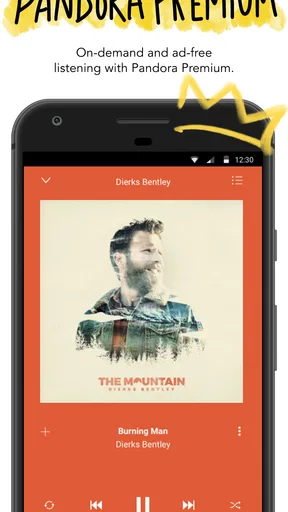
Now, let’s talk subscriptions. Pandora offers a free version, but it comes with ads. If you’re like me and find ads a bit annoying, you might want to consider upgrading to Pandora Plus or Pandora Premium. The Plus subscription removes ads and allows for unlimited skips, while the Premium version lets you create custom playlists and download content. It’s worth checking out if you’re a frequent user.
The choice is really about how I listen, not simply whether I like the app. If I mostly start a station and let it play while doing something else, the free option may be enough despite its interruptions. If I want more control over skips, playlists, or offline listening, a paid tier may make more sense. Pandora is free to install, and optional in-app purchases range from under a dollar to just under eleven dollars per item; I would check the current choices in the app and weigh them against how often I use those controls before spending.
For people comparing it with other streaming services, the trade-off is straightforward: Pandora’s strength is low-effort discovery, while services centered on on-demand libraries can be a better fit when precise track selection is the priority. I would not pay for features I rarely use. Someone who listens for only a few minutes now and then may reasonably stay with the free experience, while a daily listener who relies on skips or wants listening ready away from a connection has a clearer reason to consider an upgrade.
For those on a budget, the free version still provides a solid experience. Sure, the ads can be a little disruptive, but they’re not overwhelming. Plus, the app does a good job of keeping them relevant to your interests.
One point worth checking before committing is whether the way you listen matches the controls you value. If you usually want a particular song on demand, frequent station listening may not replace that need, and a subscription will not necessarily make a station-based habit feel like a hand-built queue. If you prefer to press play and let recommendations do much of the work, Pandora’s model is easier to appreciate. That difference is more important than choosing a plan based on a feature list alone.
Who Will Get the Most from It
I would recommend Pandora to someone who enjoys discovering music through related artists and wants a simple way to keep audio going while their attention is elsewhere. It is especially useful for people who do not want to curate every listening session, and for listeners who like having podcasts alongside music. The app has a 3.9 average from around 3.4 million ratings, which gives a prospective user a broad sense of its reception, though the best test is whether its recommendation style suits their own habits.
It is less compelling if I want meticulous control over every track, a highly organized personal music library, or a podcast workflow that revolves around managing episodes in detail. In those cases, an on-demand music service or a dedicated podcast app may be a better match. I would also think twice if ads are a deal-breaker and I do not want to pay for an option that changes the listening experience. Pandora is not one-size-fits-all; its strongest case is convenience through discovery.
For families or shared devices, I would be mindful that recommendations reflect listening choices and that a Teen content rating makes it sensible to consider who will use the app and what they may encounter. That does not make it unsuitable for younger listeners in every household, but it does make a quick look at how the device is shared a practical step. The app has more than 100 million installs, yet popularity alone cannot tell me whether its approach fits a particular person’s hearing, attention, or navigation needs.
Remaining Barriers and Inclusive Fit
In my view, the app’s strongest inclusive quality is that it can support different listening situations without requiring constant interaction: a station can play during a routine task, and prepared offline content can help when connectivity is unreliable. The remaining friction is familiar but real. Finding a new station or episode takes screen interaction, ads can interrupt the free experience, and choosing the right listening mode may take a little experimentation. Someone who needs a highly customized interface or particular accessibility controls should test the app directly on their own device before relying on it.
I would also separate ease of use from suitability in every environment. Audio can be a welcome alternative to reading a screen for long stretches, but it does not remove the need to navigate the app at the beginning or make every podcast easy to follow in a noisy place. If hearing spoken content clearly is difficult in a given setting, music or a quieter location may work better; if visual navigation is tiring, preparing a familiar station in advance can limit how much browsing is needed. Those small choices make the experience more manageable without assuming that one setup works for everyone.
Final Thoughts
Overall, Pandora - Music & Podcasts is a fantastic app for anyone who loves music and podcasts. Its ability to tailor content to your tastes is truly impressive. Whether you’re jamming out to your favorite tunes or diving into a gripping podcast, Pandora makes it easy and enjoyable. It’s like having a world of entertainment right in your pocket.
If you haven’t tried out Pandora yet, I’d recommend giving it a go. You might just find your next favorite song or podcast! Happy listening!
Pros
- Extensive music library for diverse tastes.
- Customizable stations with thumbs up/down.
- High-quality audio streaming options.
- Personalized playlists based on preferences.
- Offline listening available with premium.
Cons
- Ads are frequent in the free version.
- Limited skips on free tier.
- Offline mode only for premium users.
- Some songs/artists may be unavailable.
- Frequent app updates can be intrusive.
FAQs for Pandora - Music & Podcasts
What features does Pandora offer for music and podcast streaming?
Pandora provides personalized music and podcast recommendations based on your listening habits. Users can create stations from favorite songs, artists, or genres. The app offers a variety of playlists, offline listening, and seamless integration with smart devices. Pandora also features curated podcasts across different topics.
Is Pandora available for free, and what are the benefits of upgrading to a premium plan?
Pandora offers a free version supported by ads, which includes basic features like creating stations and limited skips. Upgrading to Pandora Plus or Premium removes ads and provides features like offline listening, unlimited skips, and higher audio quality. Premium also allows on-demand song selection and playlist creation.
How does Pandora personalize music and podcast recommendations?
Pandora uses a sophisticated algorithm known as the Music Genome Project to analyze various musical attributes. The app learns your preferences over time by tracking likes, skips, and listening patterns, thereby tailoring recommendations to your unique tastes in music and podcasts.
Can I listen to Pandora offline, and how do I enable this feature?
Offline listening is available with Pandora Plus and Premium subscriptions. Users can download songs, stations, and podcasts for offline access. To enable this feature, tap the download icon next to the desired content while connected to Wi-Fi, and it will be accessible without an internet connection.
What devices and platforms support Pandora?
Pandora is compatible with a wide range of devices, including Android and iOS smartphones and tablets, desktop computers, smart TVs, and smart speakers. It also integrates with automotive systems and gaming consoles, allowing users to enjoy their favorite music and podcasts on various platforms.


